Moman Matrix 600 Wireless HDMI Video Transmission System
Details
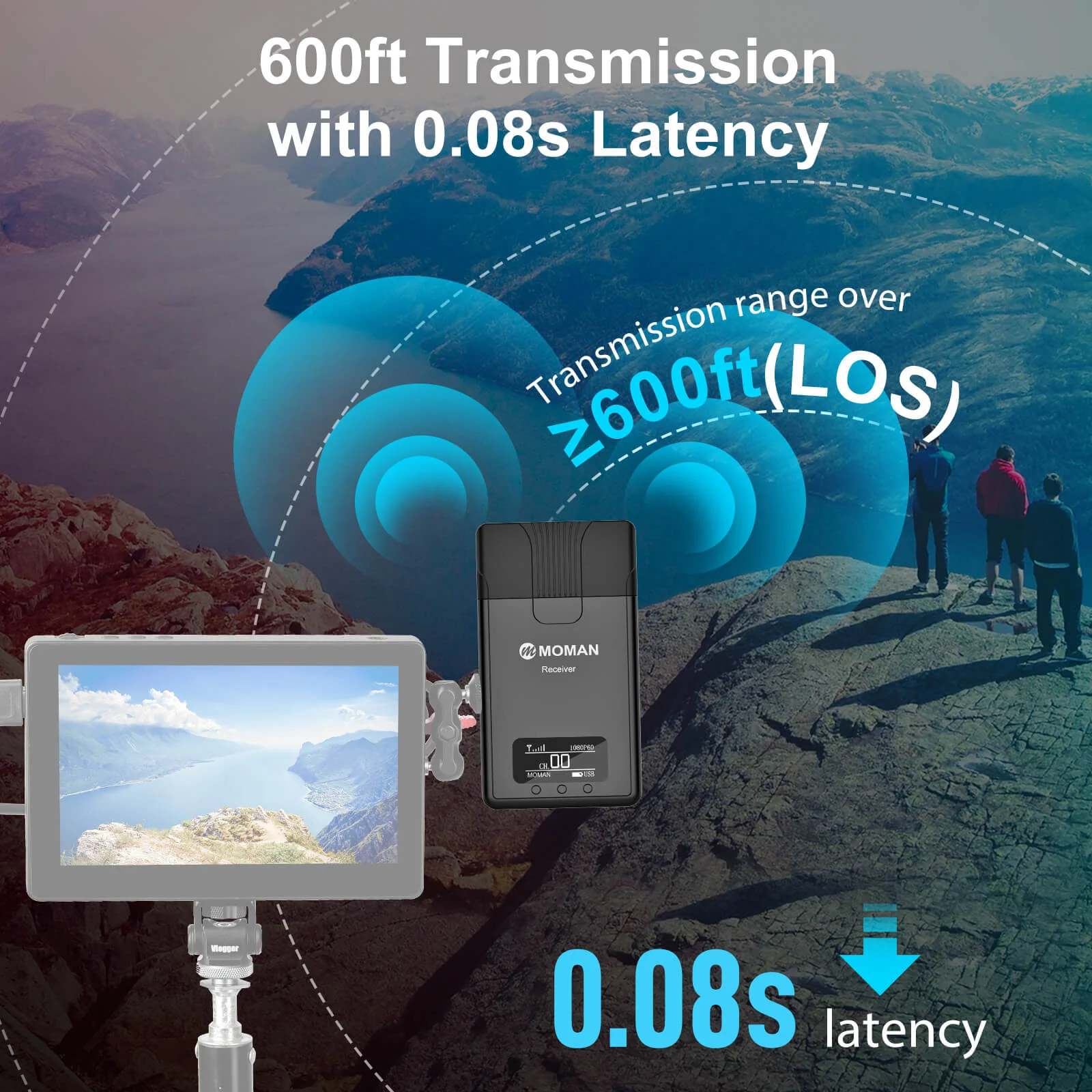
【Matrix 600 Algorithm for 600ft Transmission】The Matrix 600 Algorithm establishes an encrypted wireless connection between the video transmitter connected to the shooting devices, and the receiver connected to the on camera monitor, director or phones. The video content is transmitted through HDMI. The Matrix 600 system is able to create wireless video transmission syncing over 600 feet with low latency of only 0.08 seconds.
【Next Generation Antennas Integration Tech】The Matrix 600 integrates antennas into the body of the wireless HDMI transmitter and receiver, offering more ease to wireless HDMI applications, particularly for gimbal stabilizer users.
【2-in-1 Moman Matrix APP】Moman Matrix APP allows you to wirelessly transmit videos from your TX to your iPhone/iPad and offers scripts at the same time. It also supports monitor capabilities such as Zebra, Zoom, Peaking, and more. It perfectly meets Zoom teleprompter setup requirements for live-streaming, online conferences, interviews, etc.
【Zero Noise Design & Long-lasting Battery】The Matrix 600 substitutes the fan with a natural heat-distribution design to offer zero noise recording. You can get clear audio with less post-production at lower than 48°C sensible temperature. The low power consumption of 3.5w provides two times the battery life of other leading wireless transmission systems. Both the transmitter and receiver can be powered by NP-F batteries or a USB Type-C cable.
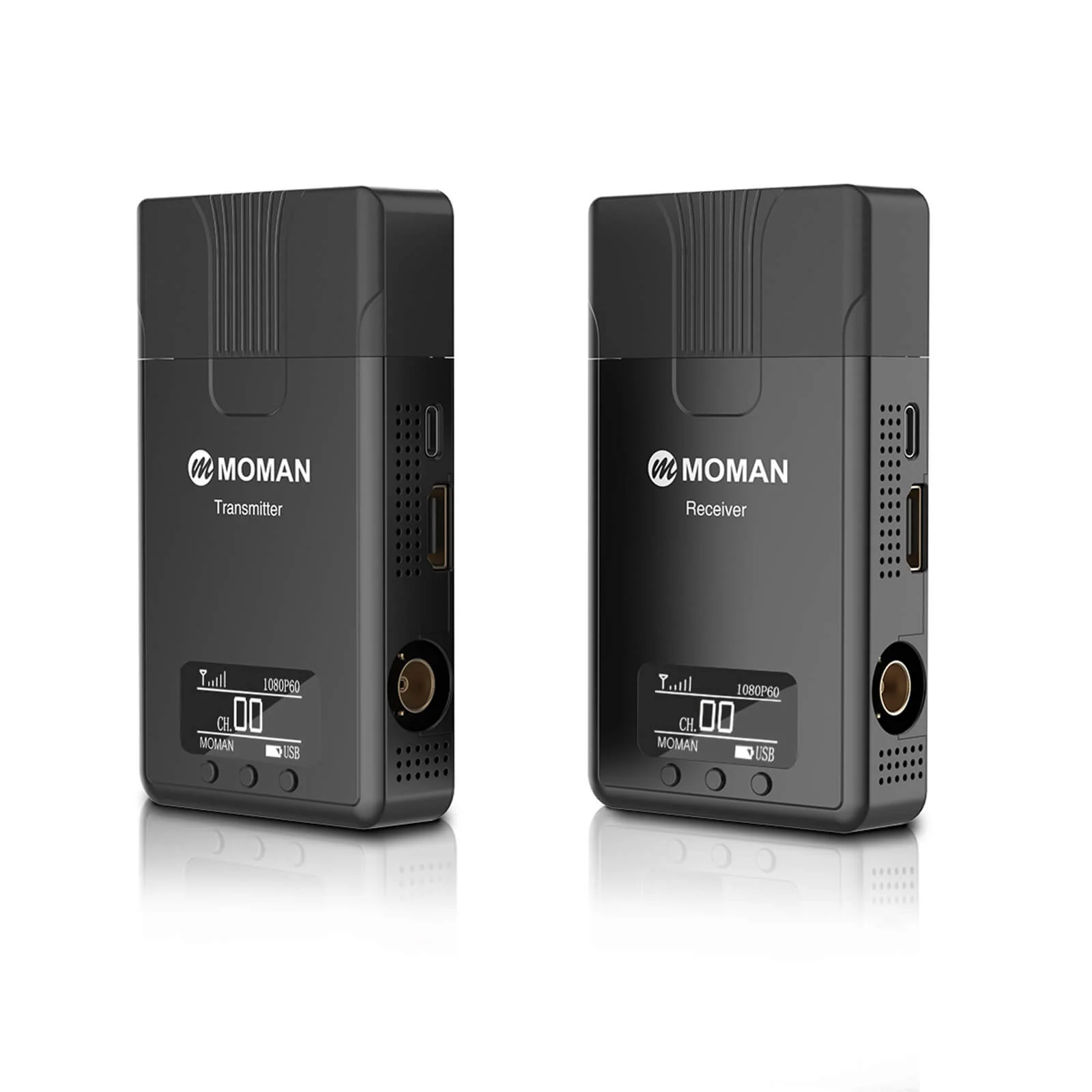
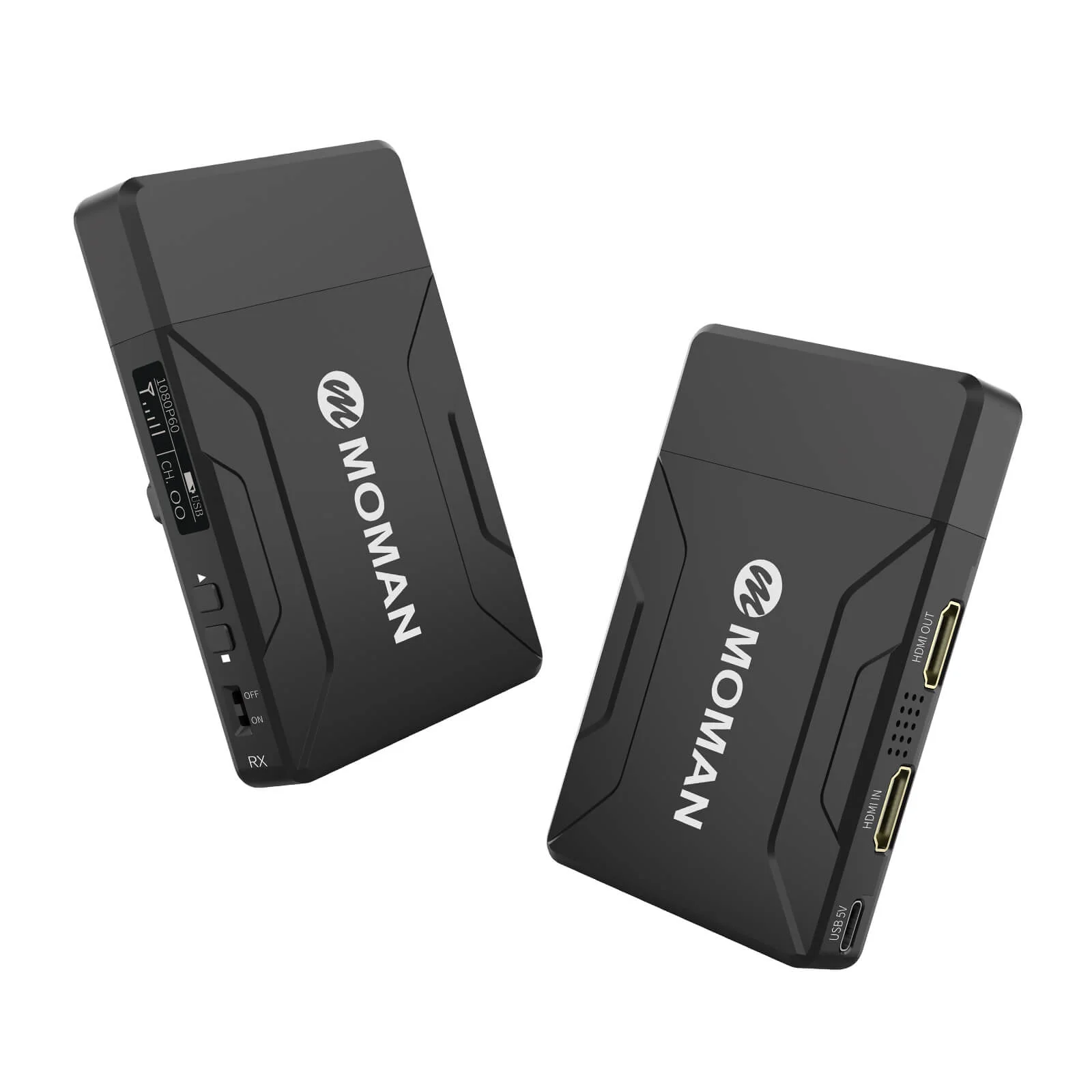
【HDMI Port & OLED Display Screen】With the HDMI port on the TX and RX, Moman Matrix 600 is compatible with camcorders, DSLR cameras, field monitors, and other devices. You can monitor its status and adjust it visually via the OLED screen.
Specifications
| Transmitter (TX) | |
| Interface: | HDMI Input/HDMI Output |
| Powered By: | 5V DC/NP-F Battery |
| Power Consumption: | <3W |
| HDMI Input: |
720P@50/60Hz; 1080I@50/60Hz; 1080P@24/25/30/50/60Hz |
| HDMI Output: |
720P@50/60Hz; 1080I@50/60Hz; 1080P@24/25/30/50/60Hz |
| Weight: |
120g |
| Size: |
103*63.5*16mm |
| Transmission Frequency Band: |
5GHz |
| Transmit Power: |
17dBm |
| Transmission Delay: |
80ms, Noisy RF environment 120ms typical |
| Receiving Sensitivity: |
-80dBm |
| Receiver (RX) | |
| Interface: | HDMI Output*2 |
| Powered By: | 5V DC/NP-F Battery |
| Power Consumption: | <2.5W |
| HDMI Output: |
720P@50/60Hz; 1080I@50/60Hz; 1080P@24/25/30/50/60Hz |
| Weight: |
120g |
| Size: |
103*63.5*16mm |
| Transmission Frequency Band: |
5GHz |
| Transmit Power: |
17dBm |
| Transmission Delay: |
80ms, Noisy RF environment 120ms typical |
| Receiving Sensitivity: |
-80dBm |
Tutorials
Create your best zoom teleprompter | Moman teleprompter & wireless transmission
Firmware Updates
Versions:
- JP: Version 5.0.4
- US: Version 1.0.4
Steps:
- Get a USB flash disk and a USB to Type-C cable;
- Format the USB disk with FAT32;
- Download and open the Update file and copy the TX file to the Root Directory of the USB disk;
- Connect the USB disk with the TX of the Moman Matrix 600 via the Type-C port;
- Press the Direction and Menu buttons at the same time for around 5 seconds to enter the Update mode, and choose OK to start the progress;
- Press the Direction button to get back to the Main Interface when the Update Progress Bar is full and the word Success shows;
- Turn OFF the TX and then turn it ON again to finish the update;
- Follow the aforementioned Step 3-7 and finish the RX update.
Downloads
- Moman Matrix 600 User Guide (English)
- Moman Matrix App
Details
【Matrix 600 Algorithm for 600ft Transmission】The Matrix 600 Algorithm establishes an encrypted wireless connection between the video transmitter connected to the shooting devices, and the receiver connected to the on camera monitor, director or phones. The video content is transmitted through HDMI. The Matrix 600 system is able to create wireless video transmission syncing over 600 feet with low latency of only 0.08 seconds.
【Next Generation Antennas Integration Tech】The Matrix 600 integrates antennas into the body of the wireless HDMI transmitter and receiver, offering more ease to wireless HDMI applications, particularly for gimbal stabilizer users.
【2-in-1 Moman Matrix APP】Moman Matrix APP allows you to wirelessly transmit videos from your TX to your iPhone/iPad and offers scripts at the same time. It also supports monitor capabilities such as Zebra, Zoom, Peaking, and more. It perfectly meets Zoom teleprompter setup requirements for live-streaming, online conferences, interviews, etc.
【Zero Noise Design & Long-lasting Battery】The Matrix 600 substitutes the fan with a natural heat-distribution design to offer zero noise recording. You can get clear audio with less post-production at lower than 48°C sensible temperature. The low power consumption of 3.5w provides two times the battery life of other leading wireless transmission systems. Both the transmitter and receiver can be powered by NP-F batteries or a USB Type-C cable.
【HDMI Port & OLED Display Screen】With the HDMI port on the TX and RX, Moman Matrix 600 is compatible with camcorders, DSLR cameras, field monitors, and other devices. You can monitor its status and adjust it visually via the OLED screen.
Specifications
| Transmitter (TX) | |
| Interface: | HDMI Input/HDMI Output |
| Powered By: | 5V DC/NP-F Battery |
| Power Consumption: | <3W |
| HDMI Input: |
720P@50/60Hz; 1080I@50/60Hz; 1080P@24/25/30/50/60Hz |
| HDMI Output: |
720P@50/60Hz; 1080I@50/60Hz; 1080P@24/25/30/50/60Hz |
| Weight: |
120g |
| Size: |
103*63.5*16mm |
| Transmission Frequency Band: |
5GHz |
| Transmit Power: |
17dBm |
| Transmission Delay: |
80ms, Noisy RF environment 120ms typical |
| Receiving Sensitivity: |
-80dBm |
| Receiver (RX) | |
| Interface: | HDMI Output*2 |
| Powered By: | 5V DC/NP-F Battery |
| Power Consumption: | <2.5W |
| HDMI Output: |
720P@50/60Hz; 1080I@50/60Hz; 1080P@24/25/30/50/60Hz |
| Weight: |
120g |
| Size: |
103*63.5*16mm |
| Transmission Frequency Band: |
5GHz |
| Transmit Power: |
17dBm |
| Transmission Delay: |
80ms, Noisy RF environment 120ms typical |
| Receiving Sensitivity: |
-80dBm |
Tutorials
Create your best zoom teleprompter | Moman teleprompter & wireless transmission
Firmware Updates
Versions:
- JP: Version 5.0.4
- US: Version 1.0.4
Steps:
- Get a USB flash disk and a USB to Type-C cable;
- Format the USB disk with FAT32;
- Download and open the Update file and copy the TX file to the Root Directory of the USB disk;
- Connect the USB disk with the TX of the Moman Matrix 600 via the Type-C port;
- Press the Direction and Menu buttons at the same time for around 5 seconds to enter the Update mode, and choose OK to start the progress;
- Press the Direction button to get back to the Main Interface when the Update Progress Bar is full and the word Success shows;
- Turn OFF the TX and then turn it ON again to finish the update;
- Follow the aforementioned Step 3-7 and finish the RX update.
Downloads
- Moman Matrix 600 User Guide (English)
- Moman Matrix App
Description
Details
【Matrix 600 Algorithm for 600ft Transmission】The Matrix 600 Algorithm establishes an encrypted wireless connection between the video transmitter connected to the shooting devices, and the receiver connected to the on camera monitor, director or phones. The video content is transmitted through HDMI. The Matrix 600 system is able to create wireless video transmission syncing over 600 feet with low latency of only 0.08 seconds.
【Next Generation Antennas Integration Tech】The Matrix 600 integrates antennas into the body of the wireless HDMI transmitter and receiver, offering more ease to wireless HDMI applications, particularly for gimbal stabilizer users.
【2-in-1 Moman Matrix APP】Moman Matrix APP allows you to wirelessly transmit videos from your TX to your iPhone/iPad and offers scripts at the same time. It also supports monitor capabilities such as Zebra, Zoom, Peaking, and more. It perfectly meets Zoom teleprompter setup requirements for live-streaming, online conferences, interviews, etc.
【Zero Noise Design & Long-lasting Battery】The Matrix 600 substitutes the fan with a natural heat-distribution design to offer zero noise recording. You can get clear audio with less post-production at lower than 48°C sensible temperature. The low power consumption of 3.5w provides two times the battery life of other leading wireless transmission systems. Both the transmitter and receiver can be powered by NP-F batteries or a USB Type-C cable.
【HDMI Port & OLED Display Screen】With the HDMI port on the TX and RX, Moman Matrix 600 is compatible with camcorders, DSLR cameras, field monitors, and other devices. You can monitor its status and adjust it visually via the OLED screen.
Specifications
| Transmitter (TX) | |
| Interface: | HDMI Input/HDMI Output |
| Powered By: | 5V DC/NP-F Battery |
| Power Consumption: | <3W |
| HDMI Input: |
720P@50/60Hz; 1080I@50/60Hz; 1080P@24/25/30/50/60Hz |
| HDMI Output: |
720P@50/60Hz; 1080I@50/60Hz; 1080P@24/25/30/50/60Hz |
| Weight: |
120g |
| Size: |
103*63.5*16mm |
| Transmission Frequency Band: |
5GHz |
| Transmit Power: |
17dBm |
| Transmission Delay: |
80ms, Noisy RF environment 120ms typical |
| Receiving Sensitivity: |
-80dBm |
| Receiver (RX) | |
| Interface: | HDMI Output*2 |
| Powered By: | 5V DC/NP-F Battery |
| Power Consumption: | <2.5W |
| HDMI Output: |
720P@50/60Hz; 1080I@50/60Hz; 1080P@24/25/30/50/60Hz |
| Weight: |
120g |
| Size: |
103*63.5*16mm |
| Transmission Frequency Band: |
5GHz |
| Transmit Power: |
17dBm |
| Transmission Delay: |
80ms, Noisy RF environment 120ms typical |
| Receiving Sensitivity: |
-80dBm |
Tutorials
Create your best zoom teleprompter | Moman teleprompter & wireless transmission
Firmware Updates
Versions:
- JP: Version 5.0.4
- US: Version 1.0.4
Steps:
- Get a USB flash disk and a USB to Type-C cable;
- Format the USB disk with FAT32;
- Download and open the Update file and copy the TX file to the Root Directory of the USB disk;
- Connect the USB disk with the TX of the Moman Matrix 600 via the Type-C port;
- Press the Direction and Menu buttons at the same time for around 5 seconds to enter the Update mode, and choose OK to start the progress;
- Press the Direction button to get back to the Main Interface when the Update Progress Bar is full and the word Success shows;
- Turn OFF the TX and then turn it ON again to finish the update;
- Follow the aforementioned Step 3-7 and finish the RX update.
Downloads
- Moman Matrix 600 User Guide (English)
- Moman Matrix App